WANT TO BUY OR SELL A PROPERTY?







Cheryl Waller, MBA | Vero Beach Real Estate Agent
How Can I Help Direct Your Visit?



Moving to Vero Beach: A Guide to Your New Home
Vero Beach, a charming seaside city located on Florida's east coast, is a hidden gem waiting to be discovered. From its beautiful beaches and waterways to its vibrant arts and culture scene, Vero Beach offers a quality of life that is second to none. If you are considering a move to Vero Beach, here is a guide to help you make the most of your new home.
Getting to Know Vero Beach
Vero Beach is located in Indian River County, about halfway between Miami and Orlando. It is easily accessible from Interstate 95 and the Florida Turnpike, making it a convenient location for those who need to commute for work or travel.
The city is known for its beautiful beaches, including South Beach Park, Humiston Park, and Jaycee Park. These beaches are perfect for swimming, surfing, fishing, and simply soaking up the sun. In addition to its natural beauty, Vero Beach is home to a number of cultural attractions, such as the Vero Beach Museum of Art and the Riverside Theatre, which hosts plays, musicals, and concerts throughout the year.
Real Estate in Vero Beach
One of the many reasons people are drawn to Vero Beach is its real estate market. The city offers a variety of housing options, from waterfront estates to charming downtown condos. The median home value in Vero Beach is around $500,000, and the city's real estate market has remained stable over the years.
Vero Beach, Florida is a beautiful coastal city located on the east coast of Florida. The city is known for its pristine beaches, warm climate, and luxurious lifestyle. Vero Beach is also a popular destination for real estate investment, offering a wide variety of properties to suit any budget and lifestyle.
One of the main attractions of real estate in Vero Beach is its oceanfront properties. The city has several luxury condominiums and beachfront homes that offer stunning views of the Atlantic Ocean. These properties come with a premium price tag, but for those who can afford it, they offer an unparalleled coastal living experience.
For those on a more modest budget, Vero Beach also offers a variety of affordable housing options. The city has several neighborhoods that offer single-family homes, townhouses, and condominiums at more affordable prices. These properties are often located just a short drive from the beach, making them a great option for those who want to enjoy the coastal lifestyle without breaking the bank.
Another attraction of real estate in Vero Beach is its active adult communities. The city has several communities that cater to retirees and active adults, offering amenities such as golf courses, swimming pools, and social clubs. These communities offer a low-maintenance lifestyle, making them a popular choice for those who want to enjoy their retirement years in style.
Vero Beach is also a popular destination for real estate investment. The city's strong economy and growing population make it a great place to invest in rental properties. The city has a steady stream of tourists and snowbirds, making it easy to find renters for vacation homes and investment properties.
In addition to its great real estate options, Vero Beach offers a high quality of life. The city has a variety of restaurants, shops, and cultural attractions that make it a great place to live and visit. The city's warm climate and beautiful beaches also make it a popular destination for snowbirds and vacationers.
In conclusion, Vero Beach, Florida offers a wide variety of real estate options to suit any budget and lifestyle. From luxury oceanfront properties to affordable single-family homes, the city has something for everyone. With its strong economy, growing population, and high quality of life, Vero Beach is a great place to invest in real estate and call home.
Listen to Cheryl on 99.7 Jack FM
Buyers
Looking to Buy? Get up to $35,000 Toward Your New Home
Sellers
List Your Home for 4%. Save Thousands on Commission!
Wondering What Your Home Might Be Worth?
NEED HELP FINDING VERO BEACH REAL ESTATE?
Thinking of Buying or Selling Without a Real Estate Agent?
For Residents of Indian River County, Florida ONLY
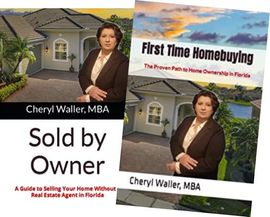
Choose Your FREE Paperback Book with FREE Shipping
List Your Property for 4% and
Save
Thousands!
Serving Vero Beach & Indian River County, Florida
Includes FREE CMA and Mortgage Home Valuation (using both real estate & mortgage tools)

Listen to
Cheryl
on 99.7 Jack FM
Looking to Buy? Get up to $35,000 Toward Your New Home
List Your Home for 4% . Save Thousands on Commission!
Call or Text 772-222-6590

Company Lic# CQ1032076
Agent Lic# SL3516742

Serving Vero Beach
& Indian River County, Florida


CHERYL WALLER, MBA
VERO BEACH REAL ESTATE AGENT
Lic# SL3516742

CONTACT
Ocean Capital Real Estate Services Group
Melbourne:
1900 S. Harbor City Blvd Suite 328
Melbourne, FL 32901
Corporate Headquarters:
120 S Olive Ave Suite 311
West Palm Beach, FL 33401
Office: 800-895-7174 Ext. 87
Cell: 772-222-6590
Fax: 800-771-0985








VERO BEACH REAL ESTATE AGENT Cheryl Waller, MBA is a licensed Real Estate Agent #SL3516742 with Ocean Capital Real Estate Services Group #CQ1032076. Cheryl Waller, MBA, is a Member of the National Association of Realtors®, Florida Realtors®, and Broward, Palm Beaches, & St. Lucie Realtors®.
Listing information on this website is provided by third-party brokers through an MLS feed service, is not verified for authenticity or accuracy, and is not guaranteed. Buyers must verify property information. Community and neighborhood information may be incorrect or may have changed since posted on this website. No information presented on this website is guaranteed to be accurate. All information is provided for convenience only.